
Remote work and smart home entertainment devices: New security considerations
February 19, 2026
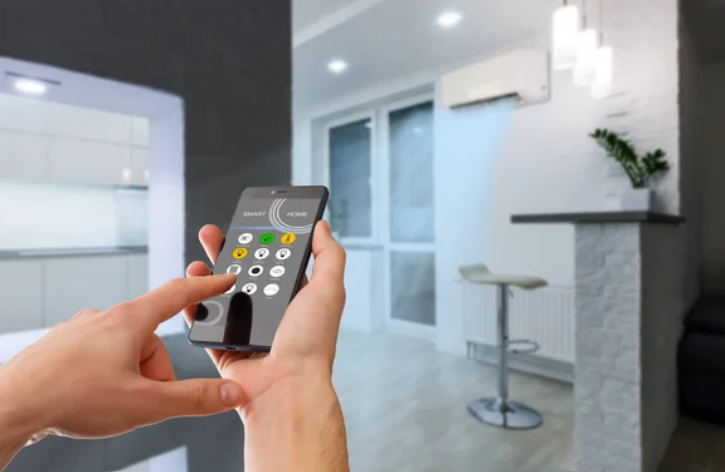
The transition to remote work has changed not only our schedules but also the very essence of our home space. For many, the kitchen table has become a workplace, and the living room has become a conference room.
Accordingly, the home network has become a channel for transmitting corporate data. At the same time, many homes have acquired or are making more active use of voice assistants, smart TVs, game consoles, and other entertainment devices connected to the internet. It is at this intersection of leisure and work that new risks arise. They require careful analysis. Home networks previously served mainly for streaming and viewing social networks. Today, they process confidential work documents, corporate accounts, and video conferences with clients. Therefore, the issue of smart device security is no longer a technical detail. It has become an element of personal and professional responsibility.
When Work and Entertainment Share the Same Network
Remote work means that corporate smartphones, laptops, and sometimes even server solutions connect to the same Wi-Fi network as smart TVs or voice-activated speakers. Most consumer devices are designed with a focus on convenience rather than deep cyber security. Accordingly, all of this creates new smart home challenges. Cybersecurity research regularly shows that devices in the Internet of Things home automation category may have:
- Weak default passwords;
- Open ports;
- Outdated software.
If one of these devices is compromised, an attacker could potentially gain access to the entire home network. For someone who works with confidential data, this could have consequences for their employer.
In this context, you should understand how infections or unwanted changes in device behaviour manifest themselves. When it comes to browsers, users should be aware of typical symptoms to look out for. These include sudden changes to the start page and redirection to suspicious sites. Also, the appearance of unwanted extensions or intrusive advertising. Each of these manifestations may indicate the presence of malicious software. Such signals cannot be ignored. After all, even a ‘minor’ incident in a browser on a work laptop can become a link in a larger chain of attacks.
Risks of shared network use
When a corporate device is connected to the same network as a camera or smart set-top box, any vulnerability in entertainment can affect the work environment. This is especially true for devices that are rarely updated or no longer supported by the manufacturer. Network segmentation is one of the basic principles of IoT smart home security. It allows you to limit communication between work devices and entertainment systems, reducing the likelihood of an attacker moving horizontally within the network.
Hidden Data Channels. Smart TVs and Voice Assistants
Many modern TVs have automatic content recognition features. The latter analyzes what the user is watching. This data can be used to personalize advertising. Voice assistants process voice commands on remote servers. That is why Google home privacy concerns are regularly discussed in the media and professional communities. The question is how this data can be linked to other services in the ecosystem.
For remote workers, this means that conversations in the home office can potentially overlap with the work of smart speakers. That’s why it’s a smart move to turn off microphones during confidential calls or physically disconnect the device.
Updates. Support
Many users don’t check whether their TV or set-top box receives regular security updates. However, it is updates that close known vulnerabilities. If a device is no longer supported, you should assess the risks of continuing to use it on the network. The issue of security for smart homes is not limited to installing antivirus software on a laptop. It covers the entire ecosystem of devices connected to a single router.
Build a Secure Smart Home for Remote Work
To create a secure smart home, start with your router settings.
- Change the default administrator password;
- Use a modern encryption protocol (WPA3 or at least WPA2);
- Disable WPS;
- Update the firmware regularly.
These are the minimum requirements.
Next, evaluate how to secure smart home devices at the level of each individual device. This includes:
- Changing default passwords;
- Activating two-factor authentication where possible;
- Disabling unnecessary remote access features.
Remote workers should also agree with their employer on the use of VPNs and policies for accessing corporate systems.
Professional installation. Audit
Some users search for a smart home installation near me to have their automation systems professionally configured. This can be useful if the specialist not only installs the equipment but also configures network segmentation and basic security settings.
However, even after professional installation, the responsibility for updates and monitoring remains with the owner. By regularly checking the connected devices in the router panel, you can detect unknown connections or outdated equipment.
Organisational Aspects. The Human Factor
Even the best technical solutions cannot compensate for a lack of digital hygiene. In the context of smart device security, the human factor often becomes the weakest link. Remote work blurs the lines between personal and work accounts. Using the same device for corporate email and entertainment services increases the risk of cross-contamination and account data leaks.
Many companies are implementing IoT smart home security policies for employees who work remotely. These may include:
- Router update requirements;
- Use of a separate network for work;
- Restrictions on the use of personal devices.
Such policies should not be perceived as excessive control. They reflect the reality that home infrastructure has become part of the corporate security perimeter.
Conclusion
Remote work and smart entertainment devices are creating a new ecosystem. In it, professional data and personal comfort coexist on the same network. In this environment, security becomes a daily practice. Building a truly secure digital space at home is a process. It includes:
- Technical settings;
- Awareness of Google home privacy concerns;
- Understanding the principles of the Internet of Things home automation;
- Responsible attitude towards your own devices.
Only a combination of technological solutions and conscious behavior will minimize risks and maintain a balance between productive work and comfortable home life.
Other posts by :
- Bank: AST SpaceMobile will orbit 356 satellites by 2030
- SpaceX launches 600th rocket
- Starlink: 10m customers and counting
- SES predicts end of ‘big’ Geo satellites
- Amazon Leo gets approval for 4,504 extra satellites
- SpaceX gets a portion of India
- TerreStar wants to build LEO network
- Musk: “No Starlink phone”
- Russia accused of eavesdropping on satellites